Managing Subscriptions
How to manage RevenueCat Billing customer subscriptions in the dashboard



Managing customer subscriptions through the RevenueCat dashboard
You can manage RevenueCat Billing (formerly Web Billing) subscriptions of your customers via the RevenueCat dashboard. To get started, go to the profile of a customer who has a RevenueCat Billing subscription.
Accessing invoices
To access invoices of a RevenueCat Billing customer, in the Customer History, find the relevant invoice event, and click to view the details:
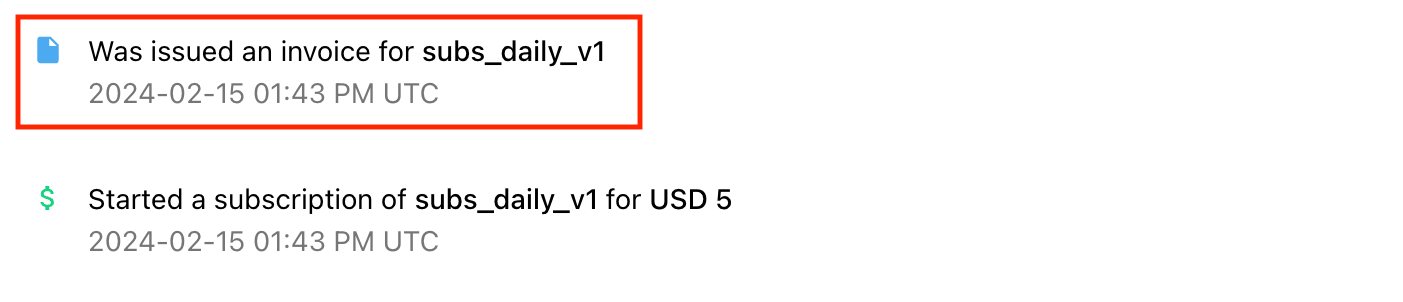
In the event details, you will find the payment status of the invoice, as well as a link to download the invoice:

Canceling subscriptions
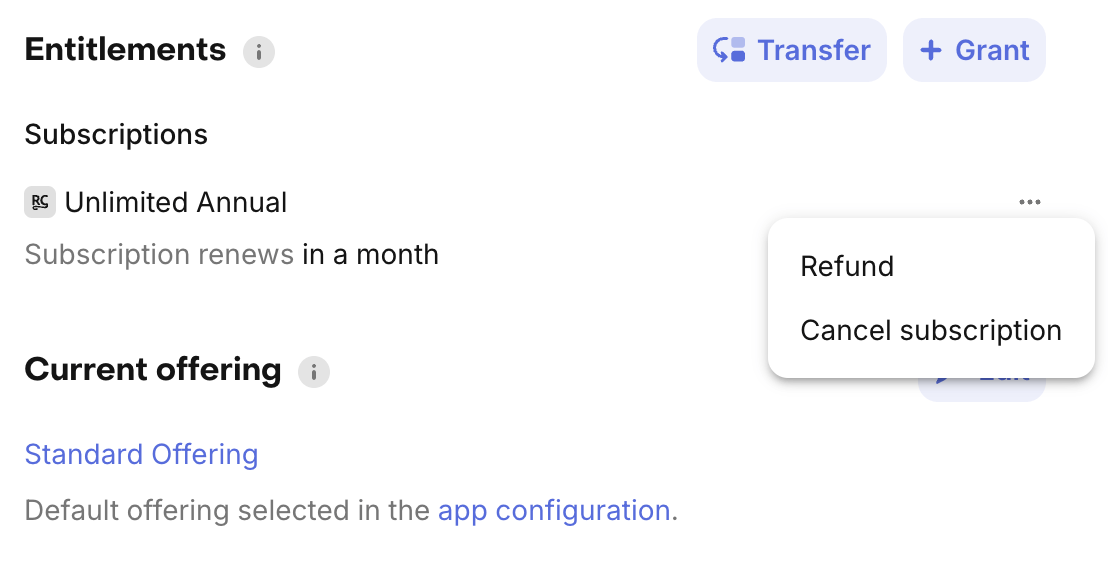
You can cancel a customer's subscription. This means that the subscription will expire at the end of the current billing period. The customer will retain access to their entitlements until the subscription expires.
To cancel a subscription, click on the "..." menu on the subscription in the "Entitlements" card of the customer profile and then select "Cancel subscription".
Extending subscriptions
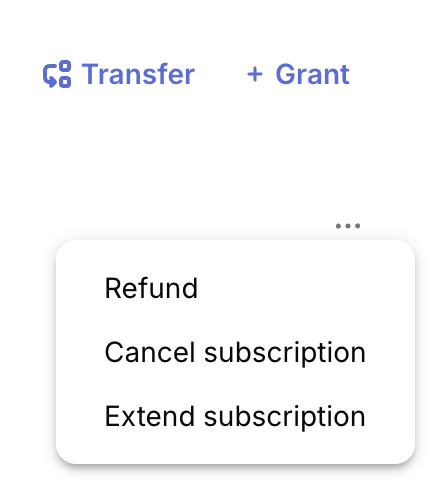
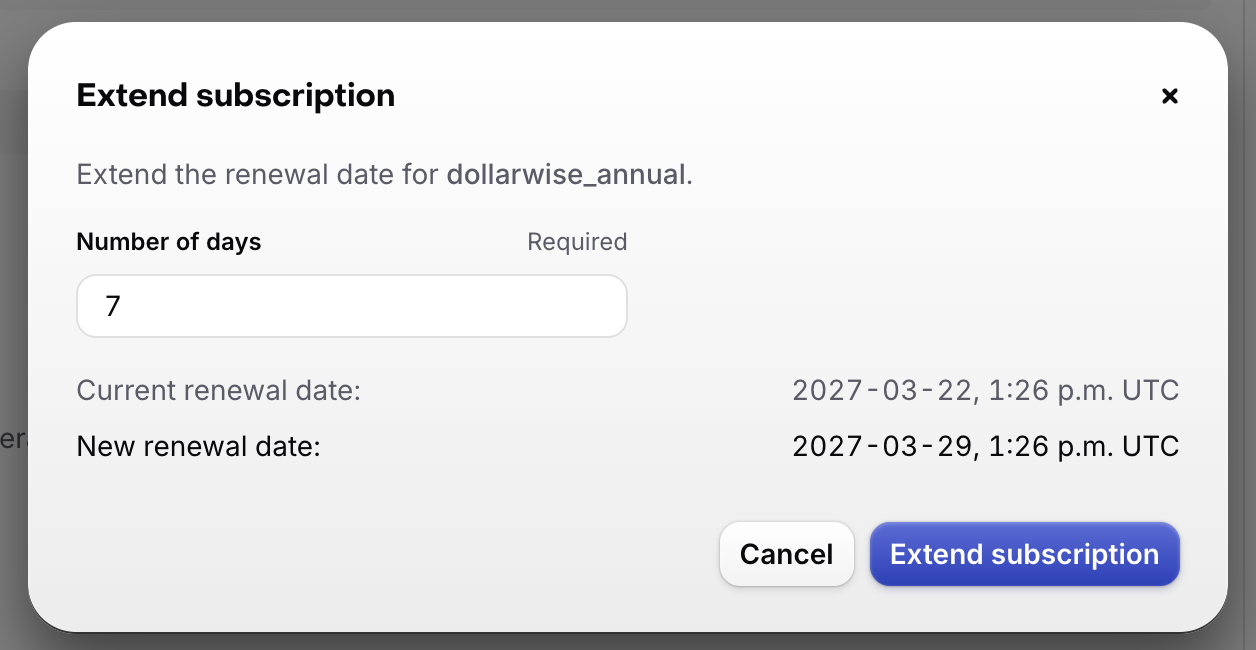
You can extend the current billing period of a customer's RevenueCat Billing subscription. This shifts the renewal date forward without charging the customer. This is useful as a promotional gesture or to adjust billing timing at a customer's request.
To extend a subscription, click on the "..." menu on the subscription in the "Entitlements" card of the customer profile and then select "Extend subscription". Enter the number of days to extend (up to 90).
Please note:
- Extensions can be up to 90 days per request.
- The customer is not charged for the extension.
- No notification is automatically sent to the customer.
Refunding subscription payments
See Refunding payments.
Managing customer subscriptions through the REST API
You can manage RevenueCat Billing subscriptions through the REST API with the following endpoints:
- List subscriptions
- Cancel RevenueCat Billing subscription
- Extend a subscription's billing period
- List a customer's invoices
- Download a PDF invoice